


My Optimum
4.12.36K Reviews
App Specs
- Version
- 2.7.0.6
- Updated On
- License
- Free
- Downloads
- 500,000+
- Developer
- CSC Holdings, LLC.
- Categories
- Productivity
- Platform
- Android
Screenshots
 Analysis by AppCompare
My Optimum is the kind of productivity app I would keep installed when my internet service is part of my daily routine rather than something I only think about when it fails. It brings account tasks, WiFi information, payment access, and help tools into one mobile place, which is more practical than searching through old emails or opening a browser every time I need to check something. I found its value less in novelty and more in reducing small points of friction around home connectivity.
The app comes from CSC Holdings, LLC., and it is free to use. It is rated for Everyone, so it is a reasonable option for households where different people may need to check the account or get assistance. Its average rating is 4.1 from around 15 thousand ratings, and it has passed 500 thousand installs. Those figures suggest a well-established service companion, although they should not be mistaken for a guarantee that every device or account experience will feel identical.
How My Optimum feels in everyday use
I find that My Optimum’s everyday usefulness depends less on how often I open it than on whether it makes a recurring chore easier when I do. In this section, I look at the small habits that can turn a quick account check into a reliable routine, and the points where convenience may give way to extra effort.
Readability and navigation that suit quick account tasks
My first impression is that the app is built around short visits. I would not open it for entertainment or spend a long time exploring it. I would open it because I want to see something about my WiFi, make a payment, or find a path to help. That focused purpose matters: an account-management app is successful when it lets me complete a task without making me remember where the relevant option is hidden.
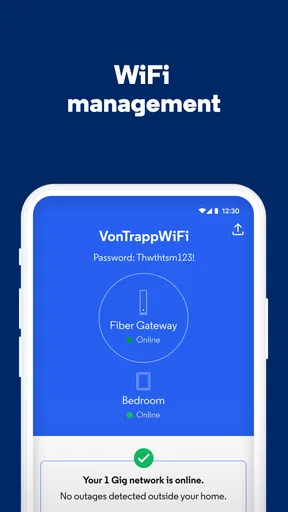
The main benefit is the way the app gathers service-related actions in one place. Instead of treating payment, connectivity, and support as unrelated destinations, it gives them a shared home. For a person who is comfortable with smartphones, that can make routine maintenance feel more manageable. I especially like the idea of using it before contacting support, because a quick look at the account or WiFi area may help me describe the problem more clearly.
There is also an important readability advantage in the app’s limited scope. It is not trying to become a general-purpose productivity suite. The screen is devoted to Optimum-related tasks, which reduces the amount of irrelevant information competing for attention. For users who prefer direct menus over a full website with many account sections, this narrower design can feel calmer.
That said, a compact app is not automatically simple for everyone. People who rarely manage services through a phone may still need time to understand which area handles billing and which area handles technical help. My advice is to explore the main sections while the connection is working, rather than waiting until the household is already offline and everyone is impatient. Familiarity created during a quiet moment can make an urgent visit much easier.
Worth Reading Before You Choose

EA SPORTS FC Mobile 26 Is a Bigger Football Game, but It Takes Time

Flipboard Shows What News Apps Must Do Beyond the Feed

Switching to Android Auto Means Rethinking Your Driving Routine

Google Calendar Makes a Crowded Week Easier to Manage

Ludo King Makes the Most of the Minutes Between Plans

Baby Panda World Brings Quick Play to Modern Phones, but Its Game Library Feels Busy
The app’s current version is 2.7.0.6, and it requires at least operating system version 10. That requirement is worth checking before recommending it to someone with an older phone or tablet. For users on a compatible device, the free download removes the usual hesitation around trying it, but the usefulness still depends on having an Optimum account and service relationship behind it.
Helpful details for people with different reading and attention needs
From an inclusive-use perspective, I look for whether an app supports short, purposeful interactions. My Optimum has a natural advantage here because its tasks are concrete. A person who has difficulty holding a long sequence of instructions in memory can approach one goal at a time: check WiFi information, handle a payment, or look for help. That is easier to frame than navigating a broad website with many unrelated links.
I would still use the phone’s own display settings to improve comfort. Larger text, increased contrast, screen magnification, and a slower touch response can be useful for people with low vision, reading fatigue, or reduced dexterity. Those adjustments belong to the device rather than the app, so results may vary, but they are sensible steps before deciding that a mobile account tool is too difficult.
For someone who becomes overwhelmed by dense screens, the best workflow is to decide the task first and open the app with that task in mind. If I need to pay, I go directly toward the account and payment area instead of browsing every option. If I need technical assistance, I avoid changing unrelated settings while I am trying to solve the immediate issue. This sounds obvious, but it prevents a short support visit from turning into a confusing tour of the whole account.
Motor and sensory considerations when the household is busy
Mobile account management can be useful for people who cannot comfortably sit at a computer, but it also introduces its own physical demands. Tapping small controls, entering account details, and holding a phone steady may be tiring for someone with limited hand movement or tremors. I would pair the app with the phone’s accessibility controls, voice input where appropriate, and a stable surface rather than trying to complete everything one-handed while walking around.
There is a practical trade-off between convenience and precision. A phone is always nearby, but its smaller screen gives me less room to review information before confirming an action. For a payment or account change, I would slow down, enlarge the display if needed, and check the final details carefully. A laptop or desktop browser may be the better choice for a user who needs a larger view, a physical keyboard, or more room to compare account information.
Sensory context matters as well. If the home connection is failing, the app may be used in a stressful environment, with family members asking questions and other devices losing access. I find that a short, predictable path is more valuable in that moment than an impressive collection of features. Keeping the phone’s brightness and notification settings comfortable, and using the app in a quieter room when possible, can make the process less exhausting for people who are sensitive to visual or auditory distractions.
People with hearing-related access needs may appreciate having a written route to account help rather than depending entirely on a phone conversation. I would not assume that every support interaction inside the app is text-based, so I would check the available help path before an emergency occurs. The useful point is that the app gives me a place to begin, while the exact suitability of the support channel depends on what appears for the account and issue.
A realistic household scenario
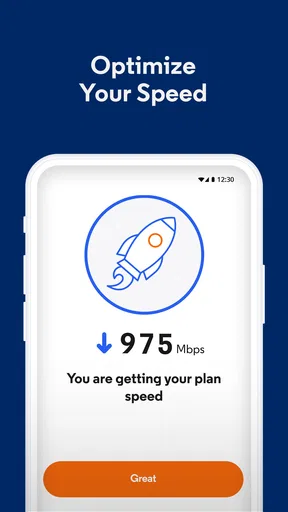
Imagine a weekday evening when a family is preparing dinner and one person notices that a streaming device has lost its connection. Another household member is working from home, so the problem needs attention quickly. I would open My Optimum, look at the WiFi-related area, and use the information there to decide whether the issue appears connected to the home network or whether I should move toward help.
The app is particularly useful in this situation because it keeps the first investigation close to the service account. I do not have to remember which browser page contains the right support section, and I can check account-related information from the same place I use for billing. If the problem turns out to be a device-specific issue, I can stop there rather than making unnecessary changes to the whole network.
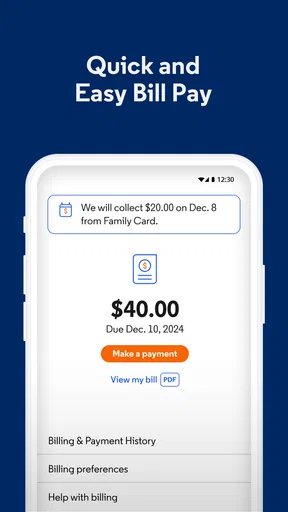
Another scenario is less dramatic but just as relevant: I receive a reminder that a bill needs attention while I am away from my computer. A free mobile app makes it easier to deal with that task immediately instead of postponing it until I forget. For someone with a busy schedule, that small reduction in delay may be the strongest reason to install it.
Situational access: where the app is strongest
My Optimum works best when I already have a compatible phone, an active Optimum relationship, and a clear account task. In that setting, it acts as a convenient control point. I can use it at home, while traveling, or from another location when I need to handle account business without sitting in front of a larger computer.
It is also useful for shared households, although I would be thoughtful about who manages payments and account details. A family member may be better at troubleshooting, while another person handles billing. The app can support both kinds of tasks, but sharing a phone or account access should be done carefully. I would avoid handing over an unlocked device simply because someone needs to look at WiFi information.
For people who have limited time, the app’s strongest quality is immediacy. A service problem often appears at the worst moment, and opening a dedicated app can be faster than remembering a website address. The same quality helps users who find web browsing tiring or confusing. A familiar icon and a known sequence can be easier to repeat than a search-engine journey.
Travel is a more mixed case. Account and payment tasks may still be relevant away from home, but WiFi troubleshooting is naturally easier when I am close to the equipment and can test the connection after taking an action. I would not expect a phone app alone to resolve every physical or service-side problem. Its role is to help me inspect, manage, and request assistance, not replace the underlying network or the support process.
How it compares with the usual alternatives
The obvious alternative is the Optimum website in a mobile browser. A website may be preferable when I need a larger layout, a desktop keyboard, or more room to review several pieces of account information at once. It can also be the safer fallback if my phone cannot install the current app because it does not meet the operating-system requirement.
The app has a convenience advantage over that browser route because it is a dedicated destination. I do not need to search for the correct page each time, and the experience is centered on mobile account actions rather than the broader structure of a website. For quick checks and routine payments, I would choose the app. For a complicated account review, I would be more comfortable using a larger screen.
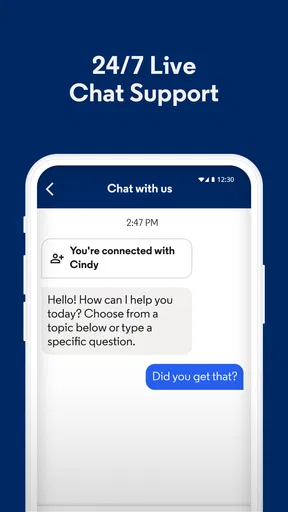
Another alternative is contacting support directly. Speaking with a representative can be better when the issue is unusual, the account situation is complicated, or I need someone to explain several options patiently. My Optimum is more useful for the preparation stage: I can gather basic account or WiFi information first, which may make the eventual support conversation shorter and more precise.
Finally, some users may rely on phone settings, router tools, or general network-testing utilities. Those tools can provide technical details that an account app is not designed to replace. My Optimum makes more sense when the question involves the Optimum service relationship, billing, or the first step in getting help. It is not the best single tool for advanced home-network diagnosis.
Remaining barriers and points of friction
The biggest limitation is that the app’s usefulness is tied to the service account. Someone without Optimum service will have little reason to keep it, and a person managing several providers will not get one universal dashboard from it. That is not a flaw in its purpose, but it does mean the app is specialized rather than broadly useful.
Account access can also become a barrier at the exact moment help is needed. If I cannot remember credentials, have trouble receiving a verification message, or am using a device that is not normally associated with the account, the dedicated app may not feel as effortless as it does during routine use. I would keep recovery information organized and avoid waiting for a network emergency to discover whether I can sign in.
The operating-system requirement creates another practical boundary. A phone running anything below version 10 cannot meet the stated minimum, so users with older hardware may need the browser or another support route. This is especially important when recommending the app to relatives who keep phones for many years. Checking compatibility before an urgent installation saves frustration.
There is also a human barrier: not everyone trusts a mobile app with payment and service tasks. My approach is to use it only when I am comfortable with the phone’s security settings, keep the operating system updated, and review confirmation screens instead of tapping through quickly. People who prefer not to manage bills on a phone may reasonably choose the website or another established method instead.
Accessibility should be judged in context rather than assumed from the app’s age rating. Being suitable for Everyone does not mean every person will find every screen equally comfortable. Users with vision, motor, cognitive, or hearing-related needs should test the specific tasks they care about and combine the app with device-level assistance. If a payment or support route remains difficult, a larger browser interface or human help may be the more inclusive choice.
Practical ways to get more from the app
I recommend opening My Optimum once when everything is working and identifying three destinations: the WiFi area, the payment route, and the help route. This creates a mental map that is much more valuable than simply installing the app. I would also confirm that the account details shown are the ones I expect before relying on the app during a service interruption.
For households with multiple users, decide in advance who will handle billing and who will handle troubleshooting. That avoids hurriedly passing a phone around during an outage. If another person needs WiFi information, I would show them the relevant screen rather than giving them unrestricted access to account actions.
When a connection problem occurs, record what happened before changing anything: which device failed, whether other devices are affected, and whether the issue is constant or intermittent. Then use the app’s WiFi and help areas. This simple sequence prevents guesswork and gives support a clearer starting point if the problem cannot be solved through the app.
For users who need larger text or reduced physical strain, adjust the phone before beginning a sensitive task. I would use a stand, enable the most comfortable display settings, and complete payment actions when I am not rushed. These habits do not add new app functions, but they make the existing ones more usable across different abilities and situations.
My inclusive verdict
After using My Optimum as a service companion, I see it as a focused productivity app rather than a complete replacement for every support option. Its strongest qualities are the direct connection to Optimum account tasks, the convenience of handling WiFi and payments from one mobile location, and the possibility of starting help without searching through a large website.
I would recommend it to Optimum customers who regularly manage home internet, prefer their phone to a desktop browser, or want a straightforward first stop when something goes wrong. It is especially sensible for people who benefit from short, repeatable workflows. The free price and Everyone age rating also make it easy to try within an eligible household.
I would steer some users toward the website or direct support instead: people with older phones, those who need a large interface for detailed account work, users who require advanced network diagnostics, and anyone uncomfortable managing payments on a mobile device. Those are not reasons to dismiss the app; they are situations where another route may provide better control or comfort.
My bottom line is that My Optimum is most valuable when it turns a stressful service chore into a small, familiar sequence. It does not remove every barrier, and its accessibility depends partly on the phone, the account, and the user’s circumstances. Still, for compatible Optimum customers who want quick access to WiFi information, payments, and help, I think it earns a place on the phone—provided they test their preferred workflow before the next problem arrives.
Pros
- Quick access to account details
- bills
- and payment options.
- Convenient way to manage Optimum internet
- TV
- and mobile services.
- Service status and outage information are easy to find.
- Support resources are available directly within the app.
- Useful account controls can reduce the need to call customer service.
Cons
- Some features may vary depending on your Optimum plan or location.
- Login issues can prevent access to important account information.
- The app may occasionally feel slow when loading account pages.
- Payment and billing details may not update immediately.
- Users may still need support assistance for complex service changes.
FAQs for My Optimum
What is My Optimum, and what can I use it for?
My Optimum is the official account-management app for Optimum customers. After signing in, you can review your internet, television, and phone services, check bills, make payments, manage account details, and access support options. Depending on your plan and location, the app may also provide service information, equipment tools, appointment details, and other features connected to your Optimum account.
Do I need to be an Optimum customer to use My Optimum?
Yes, most of the app’s useful features require an active Optimum account and valid sign-in credentials. The application is designed for existing customers who want to manage their services from a mobile device. If you have more than one account or are an authorized user, the information and available controls may depend on your account permissions and the services registered under your login.
Can I pay my Optimum bill through the app?
My Optimum generally allows eligible customers to view billing information, check the amount due, review payment history, and make payments using an available payment method. Before submitting a payment, carefully verify the account, amount, and scheduled date. Payment options and processing times can vary, and the app may direct you to additional security verification depending on your account or transaction.
Can My Optimum help troubleshoot internet or service problems?
The app can provide account-specific support and may include tools for checking service status, restarting or managing compatible equipment, reviewing outages, and contacting Optimum support. These tools are useful for common connection or equipment issues, but they cannot resolve every problem remotely. If troubleshooting does not restore service, you may need to contact customer support or arrange a technician visit.
Is My Optimum free and safe to download?
My Optimum is normally available as a free download, although using it requires an Optimum service account and may consume mobile data when you are not connected to Wi-Fi. For safety, download the app only from the official Google Play Store or Apple App Store, confirm that the developer is Optimum, and keep the application updated. Avoid entering account credentials into unofficial copies or links.


